



Low-Code Interactive Classroom
2025-12-11 11:26Real-time Engagement - Education Edition is an aPaaS online classroom solution built on Tencent Cloud's foundational audio and video capabilities. The Real-time Engagement - Education Edition provides SDK Product Service, enabling developers to seamlessly integrate the Real-time Engagement - Education Edition SDK into their own business systems to build branded online interactive classrooms without needing an in-depth understanding of the complex underlying logic of audio and video technology. As a mature core service for online education, the SDK Product Service supports seamless integration into enterprises' existing business systems, allowing them to establish their branded classrooms without complex development. The Interactive Whiteboard offers diverse teaching aids like drawing, text, and shapes, with teacher and student operation trajectories synchronized in real-time, replicating the offline blackboard experience. Interactive Teaching Tools encompass features such as hand-raising for microphone access, reward points, and quick-poll answering to enhance classroom interaction. The Language Teaching scenario leverages ultra-low-latency transmission and voice optimization technology to help teachers correct student pronunciation in real time. The Online Self-study scenario supports features like connected audio companionship, screen sharing, and real-time Q&A to improve student focus. Whether it's 1-on-1 teaching for language training institutions, small interactive classes for schools, online study rooms for educational platforms, or large-scale public lectures, the SDK Product Service can leverage the practicality of the Interactive Whiteboard, the richness of Interactive Teaching Tools, the adaptability for Language Teaching, and the companion-like nature of Online Self-study to become the core support for educational institutions' digital transformation. Furthermore, the deep synergy between the Interactive Whiteboard and Interactive Teaching Tools significantly enhances both the classroom experience and teaching efficiency of LCIC.
Frequently Asked Questions
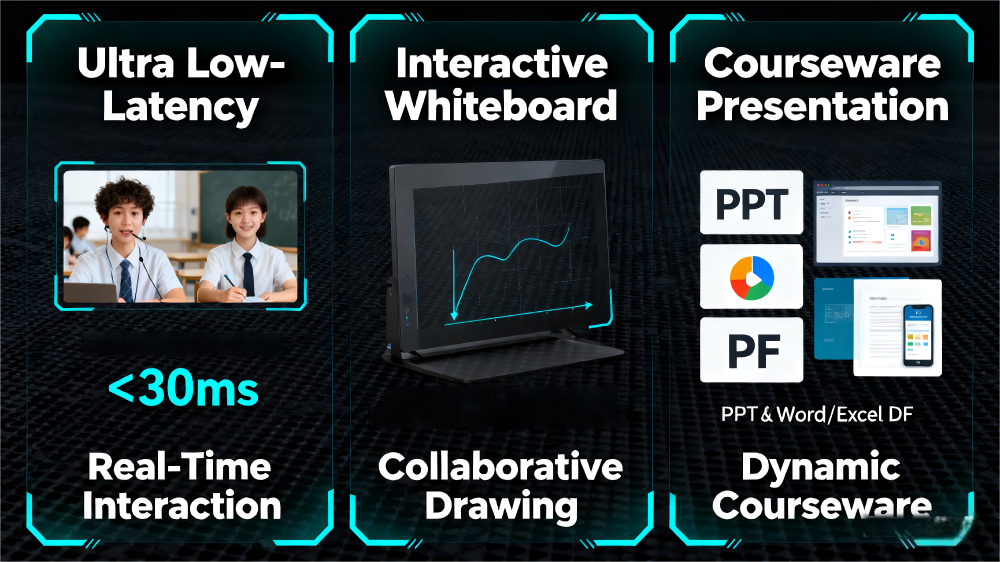
Q: As the core integration vehicle, how does the SDK Product Service synergize with the Interactive Whiteboard and Interactive Teaching Tools to support the core needs of Language Teaching and Online Self-study? Where do its technical advantages lie?
A: Centered on "Lightweight Integration + Full-feature Support," the SDK Product Service provides the technical foundation for two core teaching capabilities, solidifying LCIC's service base. Firstly, through standardized interfaces and multi-platform compatibility, it enables the Interactive Whiteboard to be quickly embedded into Language Teaching scenarios. Teachers can use the whiteboard to annotate pronunciation key points and write grammar notes in real time, combined with the hand-raising for microphone feature of the Interactive Teaching Tools to facilitate high-frequency teacher-student interaction, helping students correct pronunciation promptly. Secondly, it empowers the Online Self-study scenario to enable synchronized multi-student audio connections and screen sharing. The Interactive Whiteboard can serve as a collective note-taking tool, while features like roll call and reward points from the Interactive Teaching Tools can enhance supervision efficiency during self-study. Simultaneously, the low-latency transmission ensured by the SDK Product Service makes the real-time Q&A and sense of companionship in Online Self-study comparable to offline settings. Technical advantages are evident in two aspects: First, "Rapid Integration + Flexible Customization" – the SDK Product Service supports custom UI and integration with business systems, allowing educational institutions to quickly launch fully-featured classrooms without starting from scratch. Second, "Scenario Adaptation + Experience Assurance" – it meets the high-precision interaction demands of Language Teaching while supporting the multi-user collaboration scenarios of Online Self-study. Combined with the Interactive Whiteboard and Interactive Teaching Tools, it optimizes the experience for different teaching scenarios.

Q: What is the core synergistic value between Language Teaching and Online Self-study? How can the Interactive Whiteboard and Interactive Teaching Tools be leveraged to strengthen the competitiveness of the SDK Product Service?
A: Their core synergistic value lies in providing full-cycle coverage of "Professional Instruction + Independent Learning," addressing the pain points of educational institutions where "teaching scenarios are singular, and user engagement is insufficient." Language Teaching focuses on specialized knowledge transfer, achieving efficient instruction through the low-latency and high-audio-quality characteristics of the SDK Product Service. Online Self-study focuses on post-lesson reinforcement and independent learning, boosting students' willingness for continuous study through companion-style learning. Their combination forms a closed loop of "Instruction - Review - Consolidation." Their synergy with the Interactive Whiteboard and Interactive Teaching Tools significantly enhances the competitiveness of the SDK Product Service: The Interactive Whiteboard provides an accurate knowledge presentation vehicle for Language Teaching. Teachers can write pronunciation articulation points and grammatical structures in real time, combined with quick-poll answering from the Interactive Teaching Tools to rapidly assess learning effectiveness. For Online Self-study, the Interactive Whiteboard can serve as a collective study note, while the connected audio and reward features of the Interactive Teaching Tools can energize the self-study atmosphere and increase student participation. This combination of "Professional Instruction + Independent Learning + Diverse Teaching Aids + Interactive Empowerment" makes the SDK Product Service the core choice for educational institutions covering the entire learning cycle.
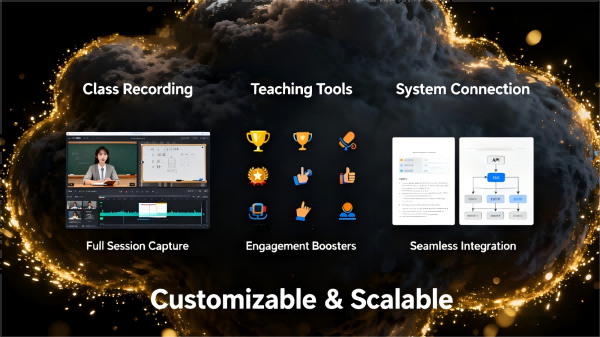
Q: How do Interactive Teaching Tools address the interaction pain points in online classrooms? What benefits does their synergy with the SDK Product Service and Interactive Whiteboard bring to Language Teaching and Online Self-study?
A: The core value of Interactive Teaching Tools lies in "Breaking One-way Transmission + Enhancing Engagement," solving the traditional online classroom pain points of "weak teacher-student interaction and scattered student attention." Through features like hand-raising for microphone access, reward points, and interactive Q&A, they shift students from passive listening to active participation. Their synergy with the two core components brings significant gains to scenario-based teaching: Working with the SDK Product Service and Interactive Whiteboard, the connected audio feature of Interactive Teaching Tools enables real-time dialogue between teachers and students in Language Teaching. Teachers can annotate pronunciation issues on the Interactive Whiteboard, combined with reward points to motivate students to practice speaking actively. For Online Self-study, features like roll call and Q&A in the Interactive Teaching Tools can strengthen teacher supervision and tutoring capabilities. The shared writing function of the Interactive Whiteboard supports peer annotation and Q&A among students. Coupled with the stable transmission of the SDK Product Service, this makes Online Self-study both companionable and efficient. This synergy makes Language Teaching more interactive and Online Self-study more practical, while also making the classroom empowerment capabilities of the SDK Product Service more comprehensive, further improving the teaching quality and user engagement for educational institutions.