


Tencent Cloud Command Line Interface
2025-12-12 22:13Tencent Cloud Command Line Interface (TCCLI) is a unified tool for managing Tencent Cloud resources. Using TCCLI, you can quickly call Tencent Cloud APIs to manage your cloud resources. You can also leverage TCCLI for automation and script processing, enabling more diverse combinations and reuse of operations. As the core carrier for Cloud API Command-Line Calling, TCCLI integrates all Tencent Cloud products that support Cloud APIs. Users can configure and manage various cloud products, such as cloud servers, cloud disks, and private networks, with a single command, eliminating the need to rely on graphical consoles. Additionally, TCCLI supports seamless use across multiple platforms, including Windows, Mac OS, and Linux/Unix, and is compatible with Multi-Account Support, enabling parallel operations. This greatly enhances flexibility across different environments and scenarios. Moreover, TCCLI supports Automation Script Processing, allowing users to combine commands to achieve advanced customization and batch operations, automating repetitive tasks and significantly reducing time costs. Whether for rapid cloud product operations or customized development needs, Cloud API Command-Line Calling enables efficient implementation.
Frequently Asked Questions
Q: How does TCCLI's Multi-Product Integration support Cloud API Command-Line Calling and Automation Script Processing, and what is its core value?
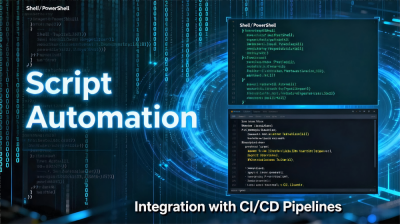
A: TCCLI's Multi-Product Integration consolidates all Tencent Cloud products that support Cloud APIs, providing a "one-stop" operational entry point for Cloud API Command-Line Calling. Users do not need to switch tools for different products; instead, they can call API interfaces for various cloud products using a unified command format to perform operations such as resource creation, querying, and configuration. In Automation Script Processing, Multi-Product Integration allows scripts to include operation commands for multiple cloud products simultaneously. For example, a single script can chain commands for cloud server creation, private network configuration, and cloud disk attachment, enabling cross-product automated workflows. Its core value lies in "standardization and high efficiency," which not only simplifies the complexity of Cloud API Command-Line Calling by avoiding the hassle of switching between multiple tools but also enables Automation Script Processing to cover a broader range of business scenarios. The compatibility offered by Multi-Product Integration ensures that automated operations are more coherent and efficient.
Q: How do Multi-Platform Support and Multi-Account Support work together with Cloud API Command-Line Calling to enhance TCCLI's flexibility?
A: TCCLI's Multi-Platform Support and Multi-Account Support complement each other, significantly enhancing the flexibility of Cloud API Command-Line Calling. Multi-Platform Support ensures that users can use the same command format for Cloud API Command-Line Calling across different operating systems, such as Windows, Mac OS, and Linux/Unix. There is no need to adapt to syntax differences between systems, enabling seamless cross-environment operations—especially beneficial for developers switching between multiple devices. Multi-Account Support allows users to configure multiple Tencent Cloud accounts on the same platform, enabling quick account switching via command-line calls without repeatedly logging in and out. This facilitates simultaneous management of cloud resources across multiple accounts. Together, these features break down "platform limitations" and "account limitations," allowing users to flexibly select target accounts on any supported platform to perform cloud product operations, fully leveraging TCCLI's convenience and efficiency.
Q: How does TCCLI's Automation Script Processing combine Multi-Product Integration and Cloud API Command-Line Calling to meet customized business needs?
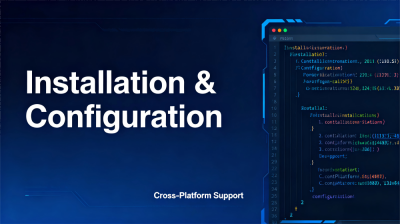
A: TCCLI's Automation Script Processing builds upon Multi-Product Integration and Cloud API Command-Line Calling, providing a powerful implementation path for customized business needs. Multi-Product Integration allows automation scripts to combine Cloud API Command-Line Calling capabilities for various cloud products. For example, to meet resource deployment needs for large-scale events, scripts can include operation commands for cloud server creation, network configuration, security group configuration, and more, completing the entire deployment process with a single script execution. Cloud API Command-Line Calling provides standardized command support for scripts, ensuring the stability and compatibility of various operation commands within the script, while also enabling free combination and logical orchestration of commands. This combination allows Automation Script Processing to precisely match customized needs—whether for repetitive batch resource management or complex cross-product business process automation. By writing scripts that integrate Cloud API Command-Line Calling for multiple products, users can achieve functional customization and reuse, significantly improving work efficiency and reducing manual operation costs.